
Run the whole booth from one iPad
Photo, video, GIF, 360, green screen and AI effects, printing straight to your DNP, Citizen, Mitsubishi, Sinfonia, SwiftFoto or HiTi printer with no print server in the van. And a support team that actually picks up on a Saturday night.



 A 30-minute call with a real person on the Curator team, built around how you run events.

Curator
Your photos are ready. Share instantly ✨
countries
running events
support
Curator has been running events since December 2015, in 96 countries, with support staffed around the clock.
Every experience your clients ask for
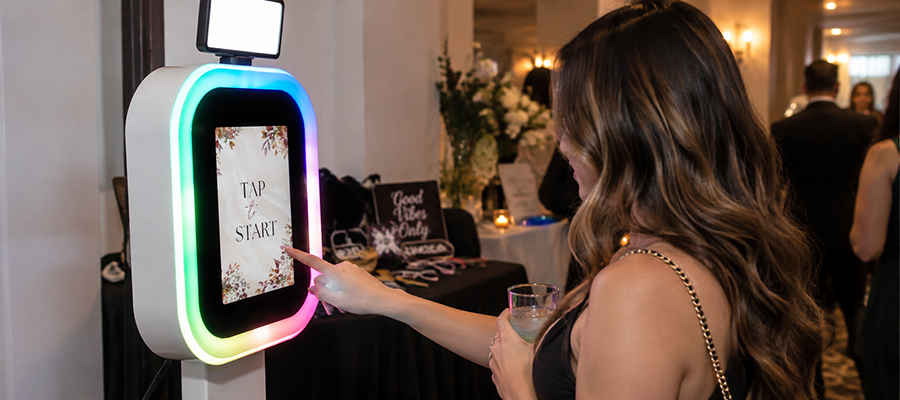
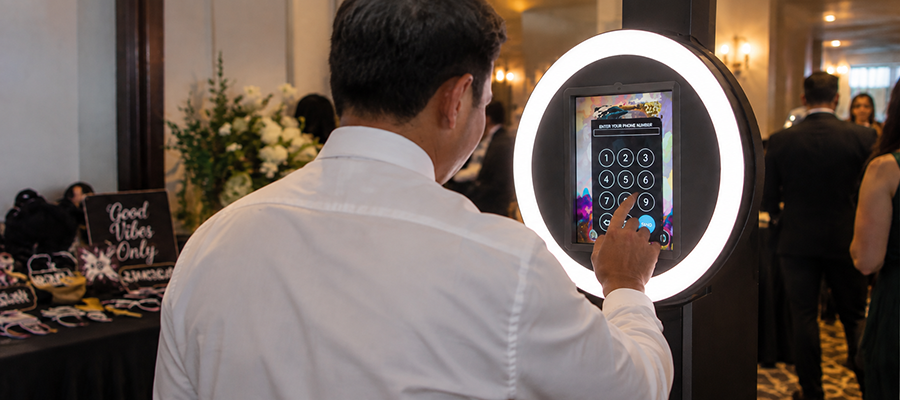
Curator Live is a photo and video platform for photo booth owners, venues, attractions and events. Every experience below runs from the same iPad app. There is no second licence to buy to add one.
Ditch the print server
USB direct printing lets an iPad photo booth send photos straight to a dye-sublimation printer through a USB connection, removing the separate print server that traditional setups rely on. With Curator, your iPad connects directly to DNP, Citizen, Mitsubishi, Sinfonia, SwiftFoto and HiTi printers, so there’s less hardware to carry, fewer points of failure, and faster prints at every event.
Direct USB is also what makes jumbo photo strips possible: 6×14 and 6×20 on a DS620A or CX-02 with 6×8 media, and 8×22 and 8×32 on a DS820A or CX-02W with 8×12 media, printed as panels onto one continuous strip. It is a premium print to put on a price list, and Curator supplies a ready-made template event to start from.
Built for photo booth owners
Purpose-built capabilities for the way your guests actually experience your space.
One platform, every experience
AI effects, green screen, video, GIFs, and prints, without stitching together multiple apps.
USB direct printing
Print straight from your iPad to DNP, Citizen, Mitsubishi, Sinfonia, SwiftFoto and HiTi printers with no print server. See how direct printing works.
Your brand, not ours
White-label the whole experience so every photo and share screen promotes your business.
Support that works event hours
Reach a person who knows the software when it matters: mid-event, on a weekend, not next business day.
Works with the gear you already own
Curator Live prints over USB from an iPad to dye-sublimation printers from six brands (DNP, Citizen, Mitsubishi, Sinfonia, SwiftFoto and HiTi) with no print server in between.
DNP DS-RX1 / DS-RX1HS, DS620A, DS820A, QW410, DS40 and DS80.
Citizen CX-02, CX-02W, CW-01, CW-02 (OP900II) and CZ-01.
Mitsubishi CP-D70DW and CP-D707DW.
Sinfonia CS2 and CS3.
SwiftFoto KSF-10R.
HiTi P525L.
Don’t see your exact model? See how USB direct printing works and ask us. Support is expanding.
Guests find their own photos
Scan the code from their session, browse the event timeline, or take a quick selfie at the kiosk, and Curator matches it against that event’s photos and hands them their gallery.
The gallery can also take money. Turn sales on for an event and guests buy their own photos, either paying at the kiosk before the session or paying afterwards to lift a sales watermark from a shot they have already seen. It runs through a Stripe account you connect and own. How guest photo sales works.
Live chat 24/7/365, plus an emergency line
Curator staffs live chat 24 hours a day, every day of the year, and runs an emergency phone line for when chat isn’t fast enough. Something goes wrong at 9pm on a Saturday, not Tuesday morning. If we’re on another call you get a callback. It’s a hotline, not a ticket queue.
Up and running in three steps
Set up your event
Build your experience, overlays, and sharing options in the Curator app.
Run the booth
Capture photos, video, GIFs, and AI effects, printing on site if you offer prints.
Win repeat business
Deliver branded content instantly and use guest data to book the next event.
What photo booth owners say
Its a GAME CHANGER! They are always adding new photo and video features and keeping up with the newest coolest things. Heck, we just did an AI photo booth event and it impressed my client so much that we landed 2 more gigs! Thanks James, you and your team ROCK!
Ive been a DJ for over a decade and the last thing I need is a Photo Booth app that doesn’t work. Hands down, best customer service and most reliable. Doesn’t get any easier then this. Thanks Guys
per event
Run a single event or a full season. Per-event, monthly and yearly plans. See pricing.
Frequently asked questions
What is Curator Live?
Curator Live is a photo and video platform for photo booth owners, venues, attractions and events. It runs on iPad and covers photo, video, GIF and boomerang, 360, green screen, AI effects, trading cards, magazine covers, headshots, printing and instant digital delivery from a single app. Curator has been running events since December 2015, in 96 countries, and starts at $29 per event.
Which printers does Curator work with?
Curator prints over USB from an iPad to the DNP DS-RX1 / DS-RX1HS, DS620A, DS820A, QW410, DS40 and DS80; the Citizen CX-02, CX-02W, CW-01, CW-02 (OP900II) and CZ-01; the Mitsubishi CP-D70DW and CP-D707DW; the Sinfonia CS2 and CS3; the SwiftFoto KSF-10R; and the HiTi P525L. Every one is a professional dye-sublimation photo printer, and none of them need a print server.
What hardware do I need to run Curator?
Curator runs on iPad and supports professional dye-sublimation printers from DNP, Citizen, Mitsubishi, Sinfonia, SwiftFoto and HiTi, along with DSLR capture, so you can use the gear you already own.
Can I print directly from the iPad without a print server?
Yes. Curator supports USB direct printing to DNP, Citizen, Mitsubishi, Sinfonia, SwiftFoto and HiTi printers, removing the print server from your setup entirely.
Can I white-label the experience for my business?
Yes. Every photo, overlay, and sharing screen can carry your own branding rather than ours.
How do I learn Curator before my first event?
Curator’s help centre at help.curatorlive.com has quick-start guides and step-by-step articles covering setup, overlays, sharing and printing. You can also build a test event in the app and run through the whole flow before the day, and chat support is there around the clock if you get stuck.
Can I switch from another platform?
Yes. Curator runs on the iPad, DSLR and DNP, Citizen, Mitsubishi, Sinfonia, SwiftFoto or HiTi printer setup you already own, so switching means installing the app and rebuilding your overlays and sharing screens rather than buying new hardware. Chat support can walk you through the setup.
What are jumbo photo strips?
Jumbo photo strips are extra-long strips printed as several panels onto one continuous strip: 6×14 and 6×20 on a DNP DS620A or Citizen CX-02 with 6×8 media, and 8×22 and 8×32 on a DNP DS820A or Citizen CX-02W with 8×12 media. They run through direct USB printing, and Curator supplies a ready-made template event so you are not building the layout from scratch.
Can I sell photos to guests at my events?
Yes. Sales are turned on per event and guests buy their own photos from the gallery. Set an all-photos price, a per-photo price, or both, and choose the currency for that event. A kiosk can take the payment before it runs the session, or the photos can carry a sales watermark that lifts when the guest buys. The money runs through a Stripe account you connect and own.
See Curator in action
Book a quick demo and we will show you exactly how Curator fits your operation.